For training officers · Free 60-day pilot
Put one protocol on every phone, and get a summary of each code your members scribe: time to first compression, epi and rhythm check timing against your own protocol, CPR pauses and outcomes. No patient details ever leave the phone.
The dashboard link opens a demo with made-up data. Department accounts are in pilot now; email us to be one of the first departments.
Every service says it reviews its arrests. Most of the time, the review is only as good as the paperwork.
Times end up on a glove, a strip of tape or someone's memory. By the time the PCR gets written, half of them are guesses.
A good narrative gets a real review. A thin one gets nothing, and there's no way to tell the difference between a rough code and a rough write-up.
Time to first compression, epi intervals, how long CPR stopped for each rhythm check. These are the numbers that matter, and they're almost impossible to pull out of a narrative.
Your crews scribe in CodeScribe EMS the same way they always have. You get your setup on every phone and the numbers from every code.
Set your buttons, their order, the timers and the drug and airway lists, and add buttons of your own, in the dashboard from any browser or from the app. Then publish. Every member's phone picks up the new version at its next check-in from the home screen, never during a code. Lock it so members can't change it.
Members join with your code and sign in once. Approve them yourself or let them in automatically while seats remain. Remove someone and their phone stops getting your protocol. Add other officers with their own logins. Print a join flyer with a QR code for the station, and make a new code anytime it gets out.
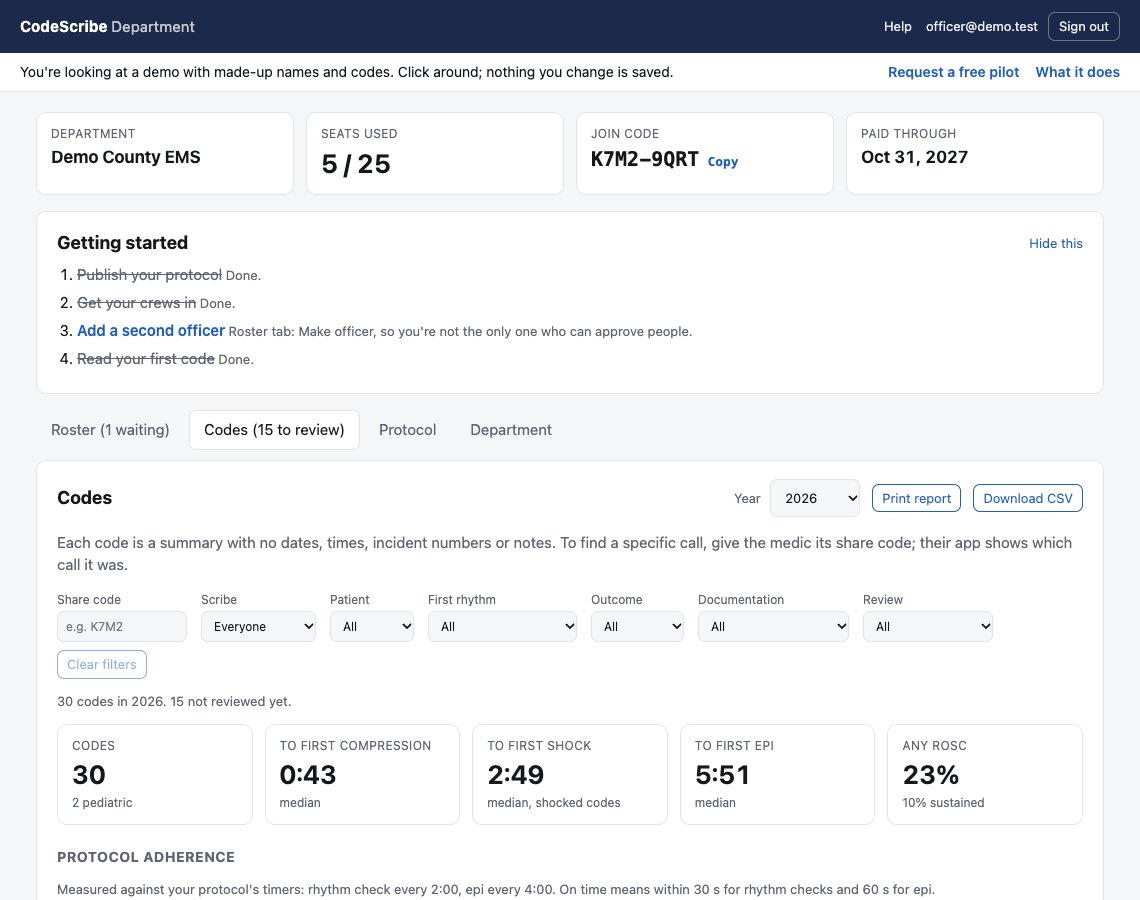
Utstein-style intervals, first rhythm, ROSC and outcome for every code your members scribe. Epi and rhythm check timing measured against your protocol's own timers, CPR pauses as logged, and what's being left unrecorded.
Codes scribed, how many were fully documented, and median time to first compression, for each member. The documentation counts are the scribe's own; the times reflect the whole crew. Use it to see who needs practice holding the phone. Pick a member to see their numbers beside the department's.
Open any code by its share code and see every intervention by minutes and seconds from the start, with the epi gaps and CPR pauses worked out for you. Print it as one sheet for the crew debrief.
For a full review, a medic sends the complete record as a file from the finished code and an officer imports it on a department device, with medians, rates and an Utstein-style CSV export. Full records never go through our server.
Search by share code, or narrow to one scribe, adult or pediatric, shockable rhythms, ROSC or no ROSC, or codes with something left blank. Tick each code reviewed as you go, and "not reviewed yet" becomes your to-do list. Every number on the page follows the filter.
Print a QA report for any year: medians, protocol adherence, what's left unrecorded, by scribe and year over year. Or download every code as a spreadsheet.
When QA is one officer on their own time, the summaries come to you instead of you chasing paperwork. Career, combination and volunteer departments all fit the same setup.
Set a program up as a training program and every mock code reaches the instructor at the student's next check-in, with a scenario name on it, instead of after the usual wait. Same timing report, same debrief print, by student instead of by scribe. Clear the roster in one tap at the end of the term. See the demo.
The roster also shows which protocol revision each phone is running, so you can see who hasn't picked up the latest one.
A walk through the officer dashboard with made-up data: the codes, one code's timeline, the protocol editor, the roster. Captions, no sound.
Or click through it yourself: the live demo, no sign-in.
Real screenshots from the dashboard's demo mode. The names and numbers are made up. Open the demo and click around.
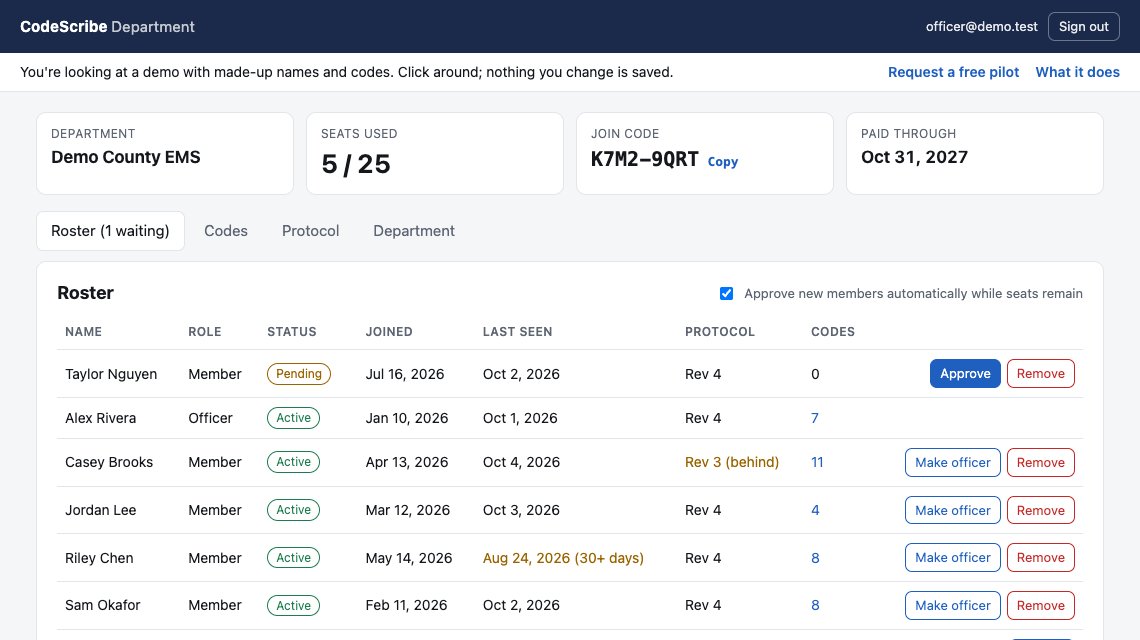
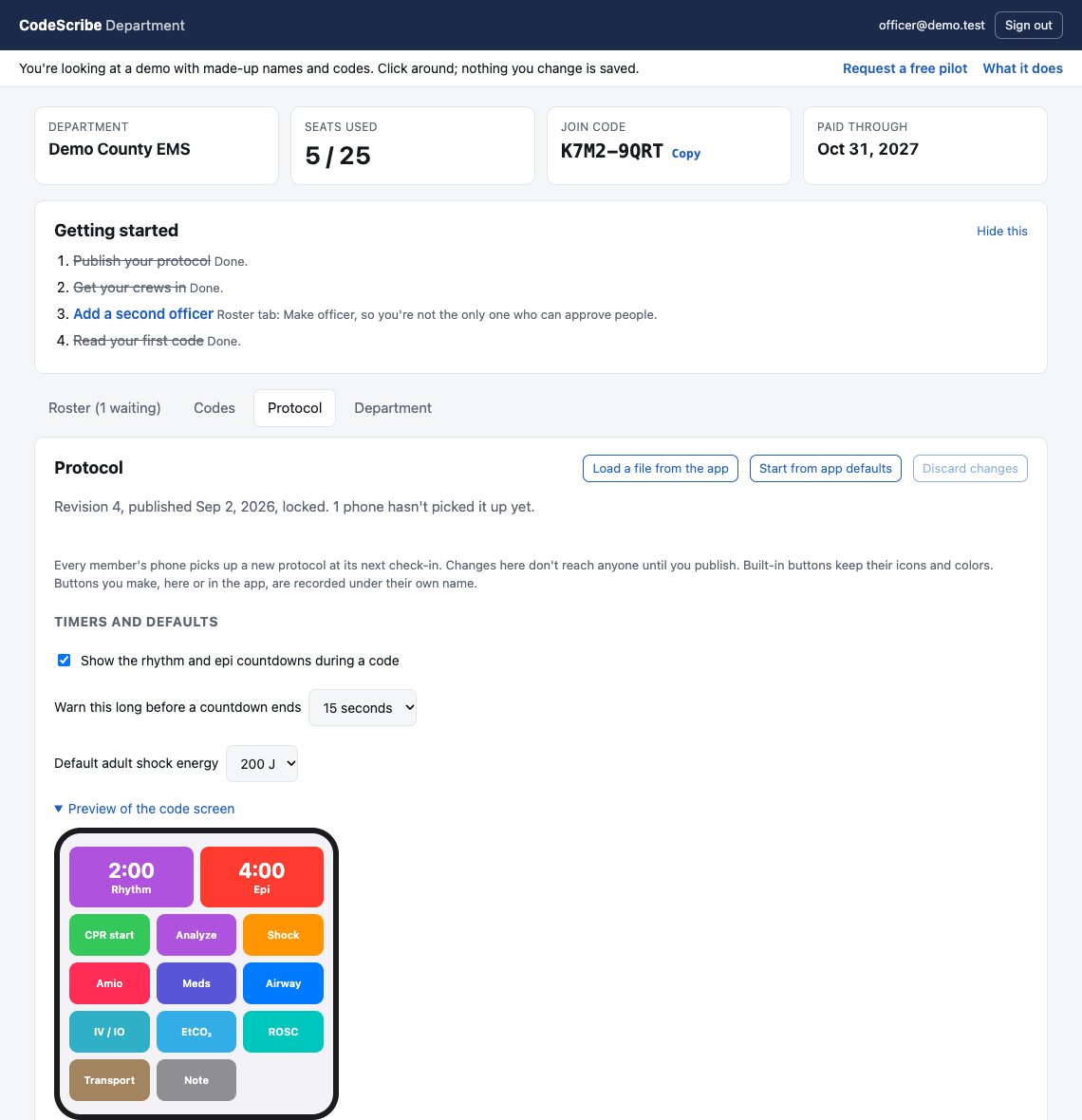
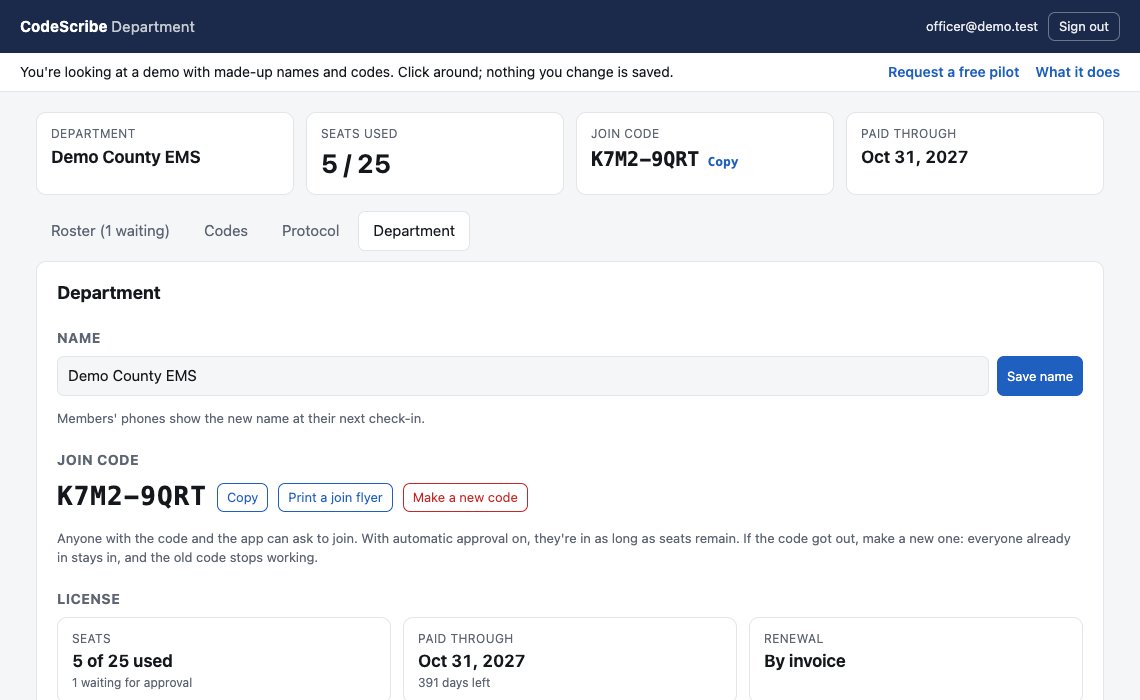
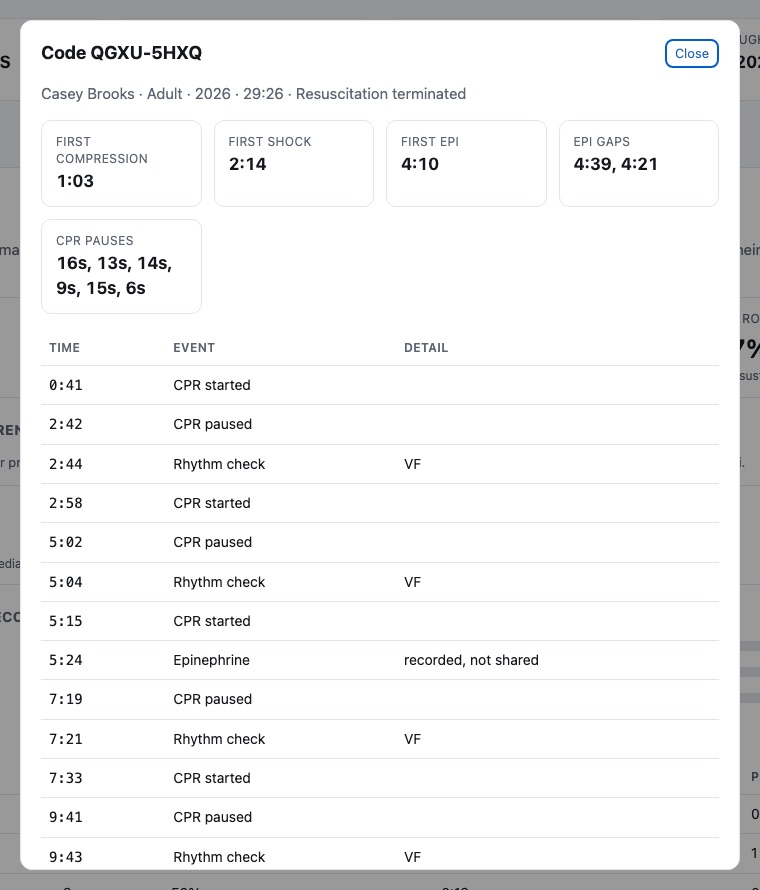
Click a code to see its timeline: every intervention by minutes and seconds from the start, the gaps between epi doses, and how long each CPR pause lasted.
There's no date, time or incident number on it. When you want to talk about the actual call, give the medic the share code. Their app shows which of their codes it was, and the full record never has to leave their phone.
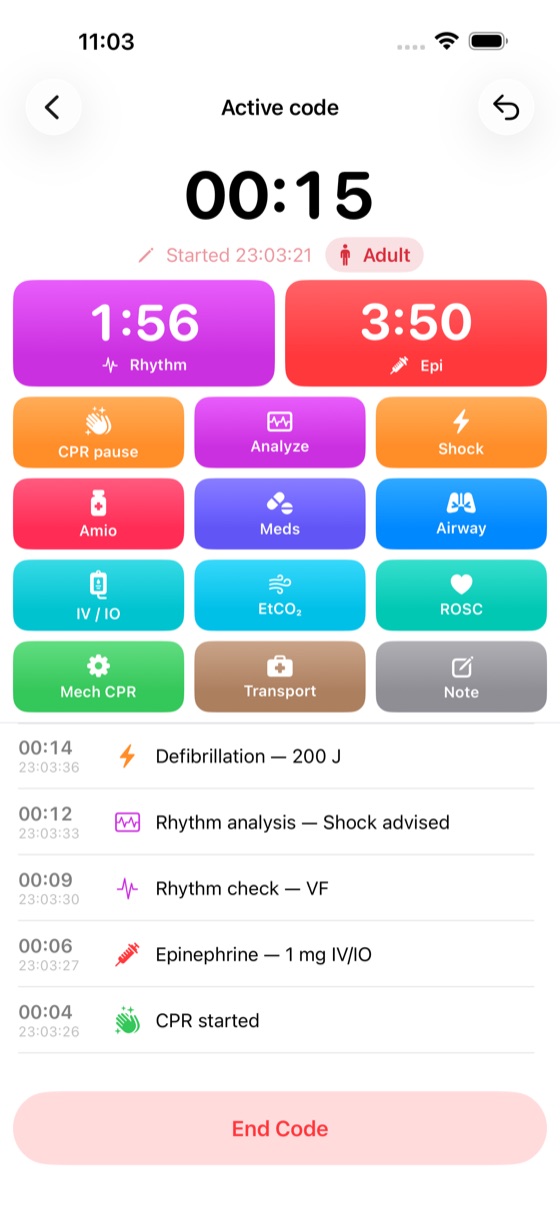
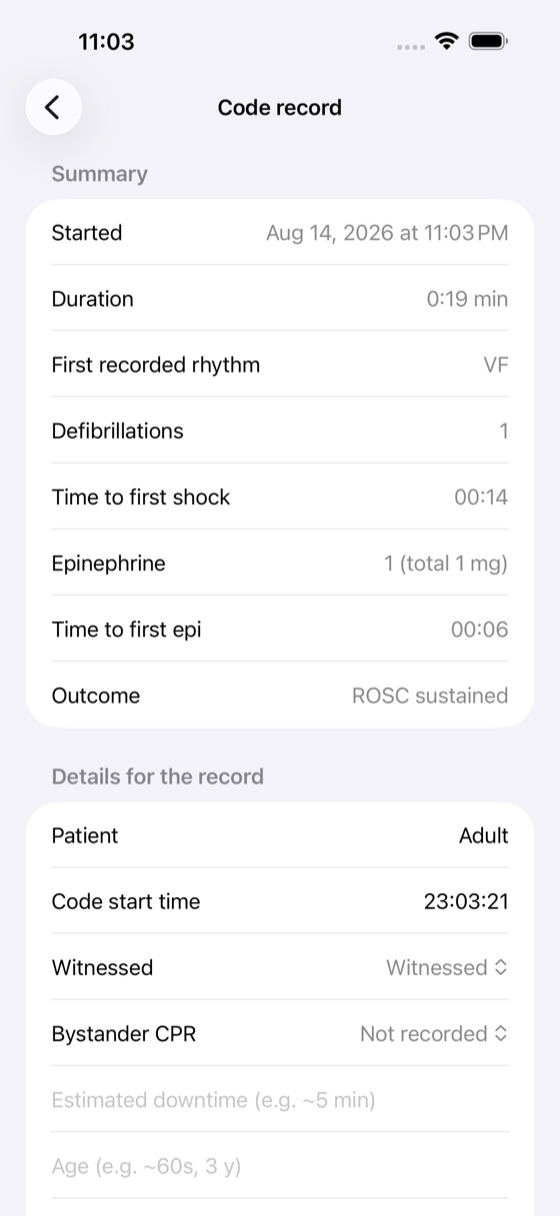
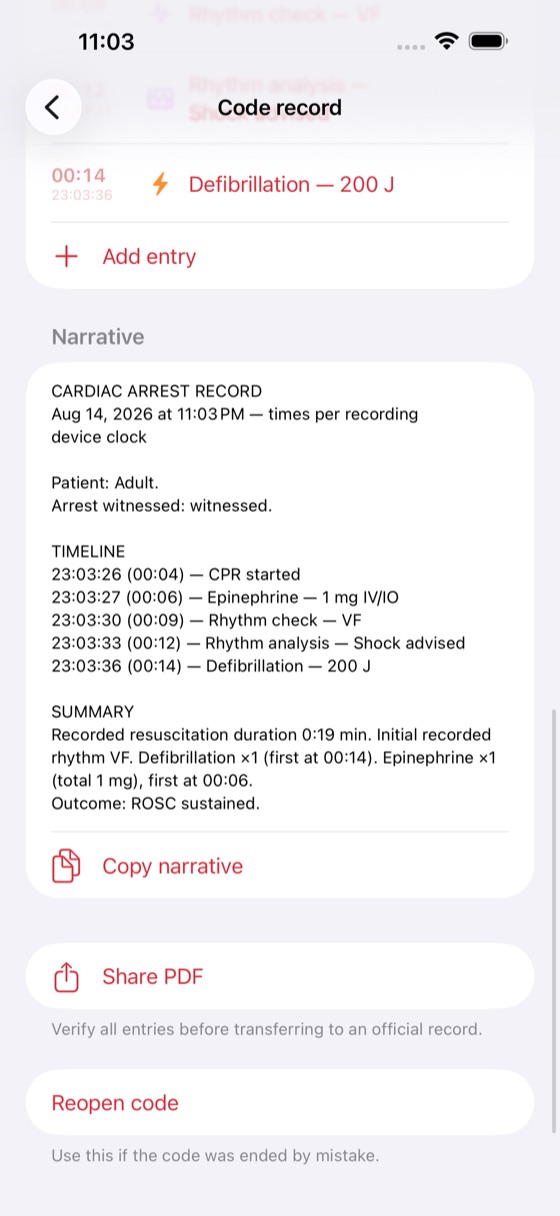
We set up your department and send your training officer a join code. The officer joins in the app first, and that same sign-in opens the dashboard.
Each member signs in once, with Sign in with Apple or an email address, and enters the code. Before they join, the app shows them exactly what the department will see.
After each code, a stripped summary is sent from the phone's home screen 12 to 72 hours later. Sign in at app.codescribeems.org to see the roster and the numbers.
This is the same list your members see in the app before they join, and can look at any time afterwards.
CodeScribe EMS collects no patient-identifying data. The app has no fields for names, dates of birth or record numbers, and the full record, with its date, times, incident number and notes, stays on the medic's phone.
Simple annual department license. Founding departments get a locked-in rate. Email us for pricing.
See the output before you try it: a sample QA report and a sample debrief sheet, both from the demo's made-up data.
Yes. Scribing never needs signal. The app checks in with your department from the home screen when it has a connection, never during a code. If it can't reach us, it keeps the last protocol and keeps working.
Not yet. CodeScribe EMS is iPhone and iPad only for now. The officer dashboard runs in any web browser.
No. It works alongside it. The scribe taps during the code, and at the end the app writes a narrative to copy into your ePCR, or a PDF timeline to attach.
No. It's a documentation aid only and never tells anyone what to give or when. Timers are silent and visual, and every pre-filled value is an editable default. Your crews follow your protocols and medical direction.
CodeScribe EMS is on the App Store. Members join your department in the app with your join code, and we'll walk your crews through it during the pilot.
Today the app is a paid download on the App Store. Ask us about department pilots.
Your department's officers, and nobody in any other department. We can see the database only to run and support the service, and we don't sell it, share it or use it for anything else. Department data is hosted with Supabase in the United States.
Empty, with a short getting-started list: publish your protocol, get your crews in, add a second officer, read your first code. See the first-day demo, or the full demo with a few months of made-up codes.
Yes, anytime. Your members keep every record on their own phones and can keep using the app on their own.
Something else? support@codescribeems.org. Please don't include real patient information.
We're looking for a few departments to pilot the officer tools free for 60 days and tell us what's missing. Career, combination and volunteer departments are all welcome. Email us, tell us a little about your service, and we'll set you up.
 CodeScribe